Parameters
All AI Factory deployments are configured through a single flat file — .env.template (GitHub Actions) or variables.yaml (Azure DevOps). Both files use the same tag-based comment system to describe every variable.
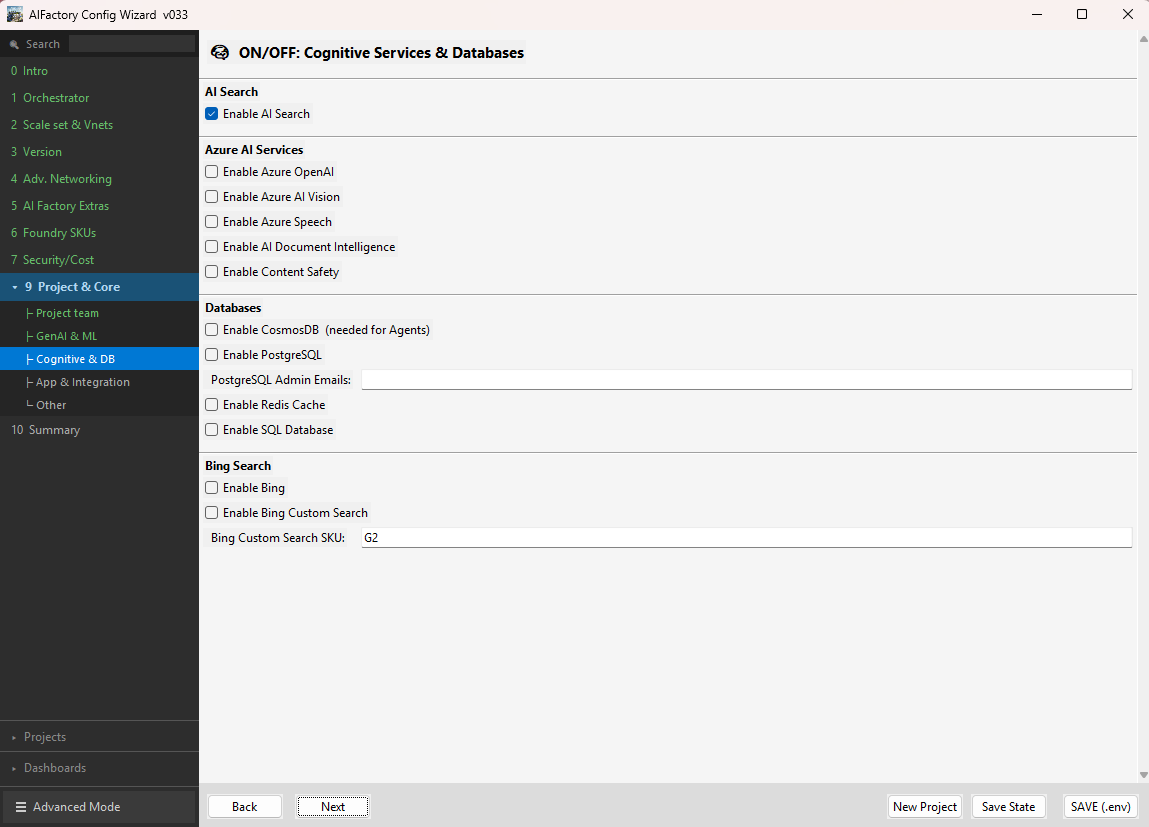
AI Factory Configuration Wizard
We recommend using the AI Factory Configuration Wizard to configure the AI Factory and its first project initially. The wizard provides a guided, form-based UI that validates your inputs and generates a correctly populated configuration file — significantly reducing the risk of misconfiguration on first deployment.
Two common workflows
- ITSM-integrated (fully automated): Many teams integrate the AI Factory pipelines directly with their ITSM system (ServiceNow, Jira Service Management, etc.), so that project teams can "order" an AI Factory project via a self-service ticket — triggering the pipeline with 100% automation and zero manual intervention.
- Core-team managed: Other teams prefer to route tickets to the AI Factory core team, who then uses the AI Factory Configuration Wizard to generate the correct configuration from the ticket information and trigger the pipeline on behalf of the requesting team.
Download the Configuration Wizard for your platform:
- Download AI Factory Configuration Wizard — Windows
- Download AI Factory Configuration Wizard — Linux
- Download AI Factory Configuration Wizard — macOS
Comment Tag System
Each variable line carries a structured comment that tells you exactly what to do:
VARIABLE="default_value" # <mandatory|optional>Title<default>value<keep-as-is|recommended|ensure> detail <otherwise> alternative
| Tag | Meaning |
|---|---|
<mandatory> |
Must be set before the pipeline can run |
<optional> |
Safe to leave at its default value for standard deployments |
<default>value |
The value already set in the file — what you get if you don't change it |
<keep-as-is> |
Default is correct for most deployments — no action needed |
<recommended> |
Not the default, but Microsoft's recommended value for production |
<ensure> |
You must look up or verify a value from an external source (e.g. Azure Portal) |
<otherwise> |
What to do in the non-standard / non-recommended scenario |
Choose Your View
| View | Who it's for |
|---|---|
| Standard Mode | First-time setup — only the mandatory parameters you must change |
| Advanced Mode | Full reference — every parameter, grouped by category |
Source Files
| Orchestrator | File to edit |
|---|---|
| GitHub Actions | environment_setup/aifactory/bicep/copy_to_local_settings/github-actions/.env.template |
| Azure DevOps | environment_setup/aifactory/bicep/copy_to_local_settings/azure-devops/esml-yaml-pipelines/variables/variables.yaml |